Why Access to Clash Royal Can Differ
Clash Royal doesn't work the same way everywhere. Here's what typically causes that.
-
1
Matchmaking is based on network region, not your account
Clash Royale tries to connect you to nearby game servers to keep latency low. Your connection's apparent region — not where your Supercell ID was created — plays into which server you land on.
-
2
Local leaderboards and events are grouped by location
Some in-game rankings and time-limited events are organised by region, so switching regions can change which leaderboard you appear on or when an event starts for you.
-
3
App-store availability follows your app store account, not your VPN
Whether Clash Royale is listed and installable at all depends on the country set on your app store account, which a VPN connection doesn't change.
How VPN UK Changes the Connection Route
VPN UK routes your device's traffic through an encrypted tunnel to a server in the region you pick, so Clash Royale's matchmaking sees a connection coming from that server's location rather than your own network. Your Supercell ID, clan membership, trophies, and purchase history stay exactly as they were — only the network path your game traffic takes is different.
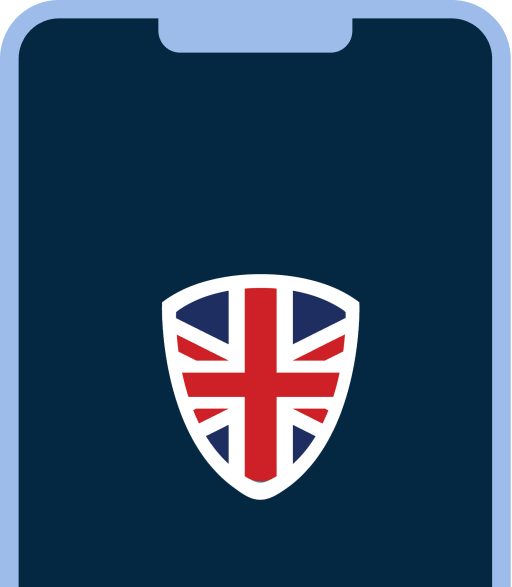


Your device connects to a VPN UK server first. Only after that encrypted step does your traffic continue on to Clash Royal, arriving from that server's region instead of your own.
Connect in 3 Steps
- 1Get VPN UK. Install the app on your phone or tablet and sign in.
- 2Pick a region. Choose the region you want your connection to appear from, then connect.
- 3Open Clash Royale. Sign in with your usual Supercell ID — your clan, trophies, and purchases are unaffected.
What VPN UK Provides — and What It Doesn't
Before you connect
- The Clash Royale app installed
- A Supercell ID or linked platform account, already signed in
- VPN UK installed on the device you're using
What VPN UK provides
- An encrypted connection between your device and a VPN UK server
- A choice of which region your connection appears to come from for matchmaking
What VPN UK doesn't provide
- A Clash Royale account, Supercell ID, or login
- A change to your device's app-store country
- Any change to your trophies, clan membership, or purchase history
- A guarantee of lower ping or faster matchmaking in every region
Troubleshooting Common Issues
A region farther from your actual location can add distance and latency to matches. Try a region closer to where you actually are and compare.
Regional events are scheduled around that region's local time, not yours, so start and end times can shift when you switch regions.
Listings follow the country set on your app-store account, which VPN UK doesn't change. Check your device's app-store region setting.
Supercell ID verification depends on your linked email or platform account, not your VPN region, so switching regions usually won't resolve this.
What This Means for Your Privacy
- VPN UK encrypts traffic between your device and the VPN UK server, which can make it harder for your local network to see that you're playing Clash Royale.
- Once your connection reaches Supercell's servers, Supercell's own privacy practices apply — VPN UK doesn't change what Supercell can see about your account activity while you're signed in.
- Your Supercell ID and in-game purchase history stay tied to your account regardless of which region you connect through.
Clash Royal FAQs
No. VPN UK is a connectivity tool, not a game account. You still need your own Supercell ID — VPN UK only changes which region your connection appears to come from.
Matchmaking is based on more than just region, including your trophy count and deck, so a region change alone isn't a reliable way to change opponent difficulty.
It can change which region your connection appears to come from, which may affect which local leaderboard you show up on, but your trophies and progress stay tied to your Supercell ID either way.
We can't speak for Supercell's own enforcement policies. Review Supercell's terms of service if you want certainty about what's permitted on your account.
More gaming services you can access with VPN UK
-
 Gaming
Roblox
Gaming access guide: why Roblox can behave differently by region, and how to connect.
-
 Gaming
Twitch
Gaming access guide: why Twitch can behave differently by region, and how to connect.
-
 Gaming
Pokemon Go
Gaming access guide: why Pokemon Go can behave differently by region, and how to connect.
-
 Gaming
Brawl Stars
Gaming access guide: why Brawl Stars can behave differently by region, and how to connect.
-
 Gaming
Minecraft
Gaming access guide: why Minecraft can behave differently by region, and how to connect.
Ready to connect through VPN UK and try Clash Royal from a region of your choice?