How to Watch ABC in the UK
ABC availability depends on the current ABC app or website, your device, account, location, and any participating TV-provider requirement. A VPN can change the public IP address seen by a service, but it cannot create a subscription, change GPS or billing details, or guarantee access. Check ABC directly before you connect.


Start with lawful availability and your account
Confirm that ABC offers the programme on your device and that your account or TV provider is eligible. If you are travelling and an IP-location mismatch is the problem, an available service preset may help you test the route; ABC can still block VPN traffic under its current rules.
What a service preset changes
A preset selects an available VPN route associated with the service. It can change the public IP address and connection path, but performance varies and it does not override ABC account, licensing, device, or subscription requirements. Browse all supported service guides.

Steps to use
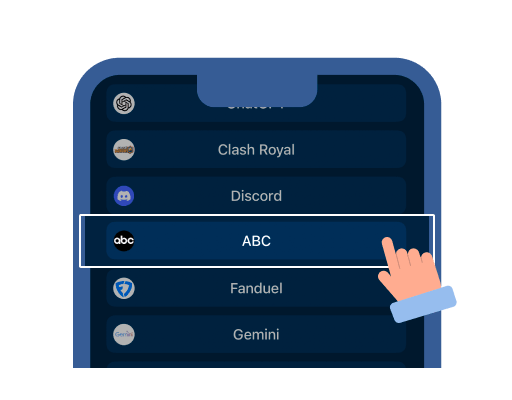
Step 1: Select the service of your choice from the dropdown list

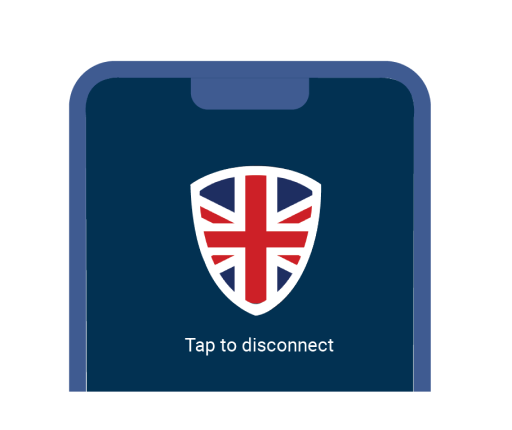
Step 2: In one click, connect to VPN UK

Step 3: Once connected, open the selected website/app and start streaming
FAQs
VPN UK does not come with a ABC subscription. In order to use ABC, you must first meet ABC's current account and TV-provider requirements. VPN UK does not include ABC.
While using a VPN you might feel a slight change in speed however the app adds routing and encryption overhead. Choose a nearby available route and compare results on the same network.
A VPN can protect the connection to the VPN server and change the public IP address. It cannot guarantee ABC availability or replace the required account, location, device, or provider eligibility.
Secure Your Online Activity Effortlessly